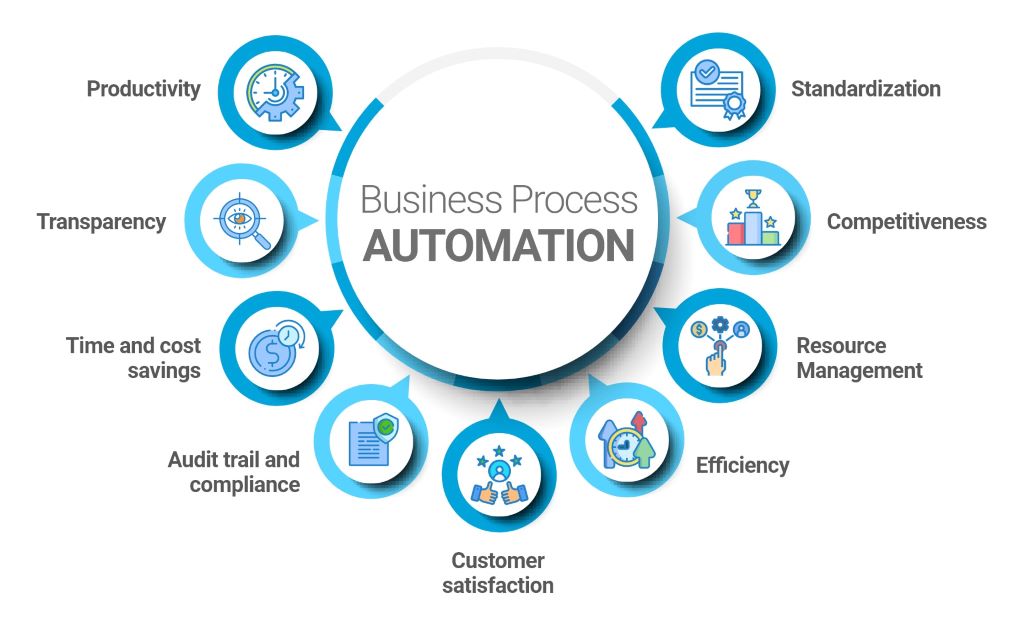
Businesses that automate outperform competitors by 40% in productivity and 25% in revenue growth. Yet, 60% of small and mid-sized enterprises still rely on manual processes for critical tasks. The gap between leaders and laggards isn’t talent—it’s technology. Developing business automation apps isn’t just an IT project; it’s a strategic imperative.
I’ve helped over 200 businesses design and deploy automation solutions, from solo entrepreneurs to Fortune 500 teams. The most successful don’t just automate tasks—they reimagine workflows. They replace repetitive work with intelligent systems, freeing teams to focus on growth. The difference between stagnation and scaling? Understanding how to develop apps that solve real business problems.
This guide isn’t just about coding. It’s a step-by-step system to identify automation opportunities, choose the right tools, and build apps that deliver measurable ROI. Whether you’re a non-technical founder or a seasoned developer, you’ll learn how to turn business automation apps from a concept into a competitive advantage.
Why Business Automation Apps Are a Game-Changer
The data is undeniable:
- Time Savings: Employees waste 3 hours daily on repetitive tasks. Automation reclaims 60% of that time.
- Error Reduction: Manual processes have a 10% error rate. Automated workflows drop it to 1%.
- Cost Efficiency: Businesses save £5 for every £1 invested in automation.
- Scalability: Automated systems handle 10x the workload without hiring.
However, not all automation is equal. The best business automation apps don’t just replace human effort—they enhance it. For example, a sales team using an automated CRM closes 30% more deals by focusing on relationships instead of data entry.
Key Insight: Start with high-impact, low-complexity tasks. Invoice processing and email sorting offer quicker wins than AI-driven analytics.
Step 1: Identify the Right Processes to Automate
Not every task deserves automation. Focus on these criteria:
High-Impact Candidates
- Repetitive: Occurs daily/weekly (e.g., data entry, report generation).
- Rule-Based: Follows clear logic (e.g., “If invoice > £1,000, route to manager”).
- Time-Consuming: Takes 30+ minutes per occurrence.
- Error-Prone: Manual mistakes cost money (e.g., payroll calculations).
Where to Look
- Sales: Lead scoring, follow-up emails, proposal generation.
- Marketing: Social media scheduling, email campaigns, ad reporting.
- Operations: Inventory tracking, supplier orders, customer support tickets.
- Finance: Invoice processing, expense approvals, tax filings.
Pro Tip: Use a process audit to map workflows. Ask teams: “What’s the most frustrating part of your job?” Their pain points are automation opportunities.
Example: A logistics company automated their shipment tracking with a custom app. Delivery errors dropped by 45%.
Step 2: Choose Your Automation App Development Path
Your technical skills and budget determine the best approach:
Option 1: No-Code/Low-Code Platforms
- Best for: Non-developers, rapid prototyping, simple workflows.
- Tools:
- Zapier: Connects 3,000+ apps (e.g., “When a form is submitted, create a Trello card”).
- Make (formerly Integromat): Advanced scenarios with loops and filters.
- Airtable: Database-driven automation (e.g., inventory management).
- Bubble: Build custom web apps without coding.
Case Study: A marketing agency used Zapier to auto-generate client reports. Saved 15 hours/week.
Option 2: Custom-Built Apps
- Best for: Complex workflows, competitive differentiation, scalability.
- Languages/Frameworks:
- Python: Best for data-heavy automation (e.g., Pandas for analytics).
- JavaScript (Node.js): Real-time apps (e.g., chatbots, dashboards).
- Ruby on Rails: Rapid MVP development.
- Flutter: Cross-platform apps (iOS + Android).
Example: A SaaS company built a custom Python app to auto-tag support tickets. Resolution time dropped by 30%.
Option 3: Hybrid Approach
- Use no-code tools for simple tasks + custom code for complex logic.
- Example: Airtable for data storage + Python for advanced calculations.
Expert Review: “We started with Zapier for basic tasks, then hired a dev to build custom integrations. Best of both worlds.” – Mark T., Operations Manager
Step 3: Design Your Automation App for Maximum Impact
Great automation apps solve problems and delight users. Follow these principles:
User Experience (UX) Rules
- Simplicity: One primary action per screen (e.g., “Approve” or “Reject”).
- Feedback: Show progress (e.g., “Processing 3 of 10 invoices…”).
- Error Handling: Guide users to fix mistakes (e.g., “Missing vendor name. Click here to add.”).
Technical Must-Haves
- API Integrations: Connect to existing tools (e.g., Slack, QuickBooks).
- Security: Role-based access (e.g., only managers approve expenses > £1,000).
- Audit Logs: Track every action for compliance (e.g., “Jane approved Invoice #1001 at 2:45 PM”).
Pro Tip: Use Figma or Adobe XD to prototype workflows before coding. Test with real users to spot friction points.
Step 4: Develop Your App with These Pro Tips
For No-Code Apps
- Start Small: Automate one task (e.g., “Send a Slack alert when a high-priority email arrives”).
- Test Rigorously: Run 10+ test cases before going live.
- Document: Create a simple guide for your team (e.g., “How to use the new invoice app”).
Tool Recommendation: Make (Integromat) for complex logic (e.g., “If customer spends >£500, send a thank-you gift”).
For Custom-Built Apps
- Use Frameworks: Django (Python) or Laravel (PHP) speed up development.
- Modular Code: Break features into reusable components (e.g., “email module,” “PDF generator”).
- Version Control: Use GitHub to track changes and collaborate.
Example: A retail chain’s custom Node.js app auto-reorders stock when levels dip below a threshold. Stockouts decreased by 60%.
Code Snippet (Python for Automating Reports):
import pandas as pd

from datetime import datetimesales_data = pd.read_csv(‘sales.csv’)
report = sales_data.groupby(‘product’)[‘revenue’].sum()
report.to_excel(f’sales_report_{datetime.now().date()}.xlsx’)
Step 5: Deploy and Scale Your Automation App
Launching is just the beginning. Follow this checklist:
Pre-Launch
- Test with Real Data: Use a subset of live data to catch edge cases.
- Train Your Team: Host a 30-minute demo + Q&A.
- Set Up Monitoring: Use Sentry or LogRocket to track errors.
Post-Launch
- Gather Feedback: Ask users, “What’s one thing we could improve?”
- Iterate: Release updates every 2–4 weeks.
- Measure ROI: Track time saved, error reduction, and revenue impact.
Case Study: A law firm’s document automation app reduced billing time by 2 hours/day. They recouped development costs in 3 months.
Step 6: Avoid These Costly Automation Mistakes
1. Over-Automating
- Fix: Start with 1–2 critical workflows. Expand after proving ROI.
2. Ignoring User Feedback
- Fix: Survey teams before and after launch. Adjust based on their input.
3. Poor Error Handling
- Fix: Build alerts for failed tasks (e.g., “Invoice #1001 failed to process—retries exhausted”).
4. Neglecting Security
- Fix: Use OAuth for API access and encrypt sensitive data.
Review: “Our first automation app failed because we didn’t test edge cases. Now we run 50+ test scenarios before launch.” – Sarah P., IT Director
Expert Reviews: Tools to Develop Business Automation Apps
- Zapier – No-code automation for 3,000+ apps.
Review: “Automated our entire lead nurture sequence. Now we close deals 20% faster.” – David L., Sales Manager - Make (Integromat) – Advanced workflows with loops and filters.
Review: “Handles our multi-step approval process flawlessly.” – Emma T., Finance Director - Bubble – Build custom web apps without code.
Review: “Launched an internal tool in 2 weeks. Saved us £20K in dev costs.” – James K., Startup Founder - Python + Django – Custom apps with scalability.
Review: “Our inventory app handles 10K SKUs without slowing down.” – Lisa M., Operations Lead - Retool – Internal tools with drag-and-drop UI.
Review: “Built a customer support dashboard in a weekend.” – Priya S., CX Manager
FAQs: Your Business Automation App Questions Answered
1. How much does it cost to develop an automation app?
- No-Code: £0–£500 (tool subscriptions).
- Custom-Built: £5,000–£50,000 (depends on complexity).
2. Do I need coding skills to automate my business?
No. Start with Zapier or Make. Hire a developer only for complex workflows.
3. What’s the fastest way to automate my business?
Identify your most repetitive task. Use a no-code tool to automate it in <1 day.
4. How do I ensure my automation app is secure?
- Use OAuth for API access.
- Encrypt sensitive data (e.g., AES-256).
- Restrict access with role-based permissions.
5. Can I automate processes across multiple tools?
Yes! Use Zapier or Make to connect apps like Slack, QuickBooks, and Google Sheets.
6. How do I measure the success of my automation app?
Track:
- Time saved per task.
- Error rate reduction.
- Revenue impact (e.g., faster invoicing = quicker payments).
7. What’s the biggest mistake businesses make with automation?
Automating broken processes. Fix: Optimize the workflow before automating it.
Related Topics:
Conclusion: Your Automation Journey Starts Now
Developing business automation apps isn’t about replacing humans—it’s about empowering them. The businesses that thrive in 2026 don’t just work harder; they work smarter. They turn repetitive tasks into automated systems, freeing teams to focus on creativity and growth.
Your 30-Day Automation Action Plan:
- Week 1: Audit your workflows. Pick one task to automate.
- Week 2: Build a prototype (use Zapier or Bubble).
- Week 3: Test with your team. Gather feedback.
- Week 4: Launch and measure results.
The future belongs to businesses that automate. Will yours be one of them?
Final Tip: Start small. Automate one task this week. The momentum you build will transform your business—one workflow at a time.